
Projects
Goals and plans that roll up across every location.
- Built into the same workspace as everything else
- Governed by your roles, locations and permissions
- AI that works from your team's real context
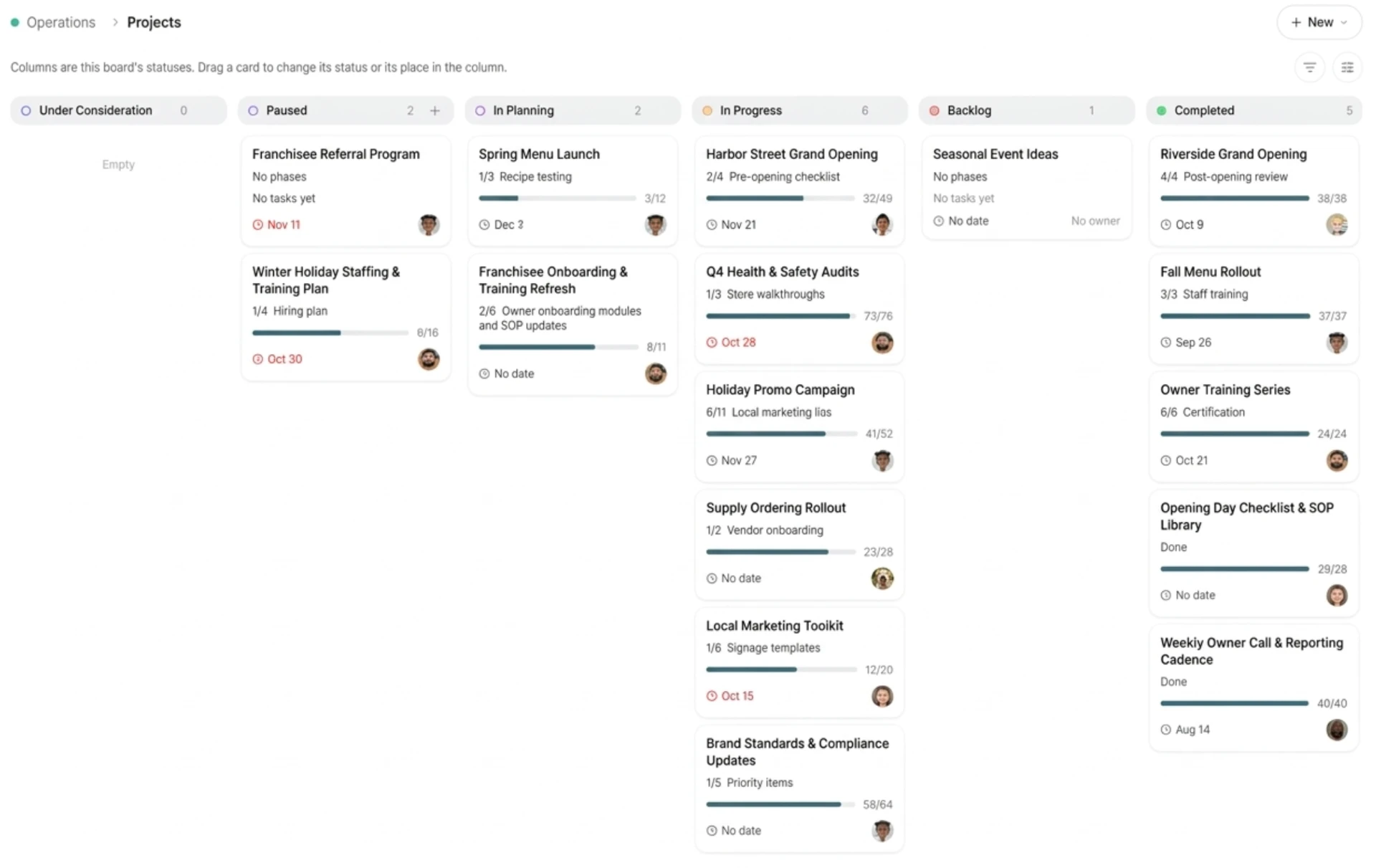
Move a rollout forward across every location
The problem
Rolling something out across locations, like a new location launch, a hiring push or a seasonal campaign, usually means a spreadsheet, a project tool only HQ uses, and status calls to find out where each location stands.
How Projects solves it
One plan, broken down
Create a project, break it into stages, and assign owners.
Rolls up across locations
See at a glance which projects are on track and what needs attention.
Connected to the day-to-day
Tasks roll up into the project they belong to, and meeting action items can be linked in.
Visible to the right people
Who can see each project follows your roles and permissions. Progress also shows up in Analytics.
What changes for HQ
One view of a rollout across every location, without a round of status calls.
What changes for location teams
They see the part of the rollout that's theirs, with owners and next steps spelled out.
Projects: frequently asked questions
What does Cozee Projects require?
Just a Cozee workspace. Projects are built in. You create one, break it into stages, and assign owners.
How do teams use Projects?
Teams use Projects to run rollouts across locations, such as a new Bayview location launch, a new-hire onboarding program or a seasonal campaign. They can see at a glance which projects are on track and what needs attention.
How do Projects work with the rest of Cozee?
Tasks roll up into the project they belong to, meeting action items can be linked in, and progress shows up in Analytics.
Can Projects span multiple locations?
Yes. Projects roll up across every location, and who can see them follows your roles and permissions.
Is my data used to train models?
No. Your workspace content isn't used to train shared models. See Governed AI for how data is handled.