
Knowledge Base
Keep manuals, SOPs and brand documents accessible to the right people.
- Built into the same workspace as everything else
- Governed by your roles, locations and permissions
- AI that works from your team's real context
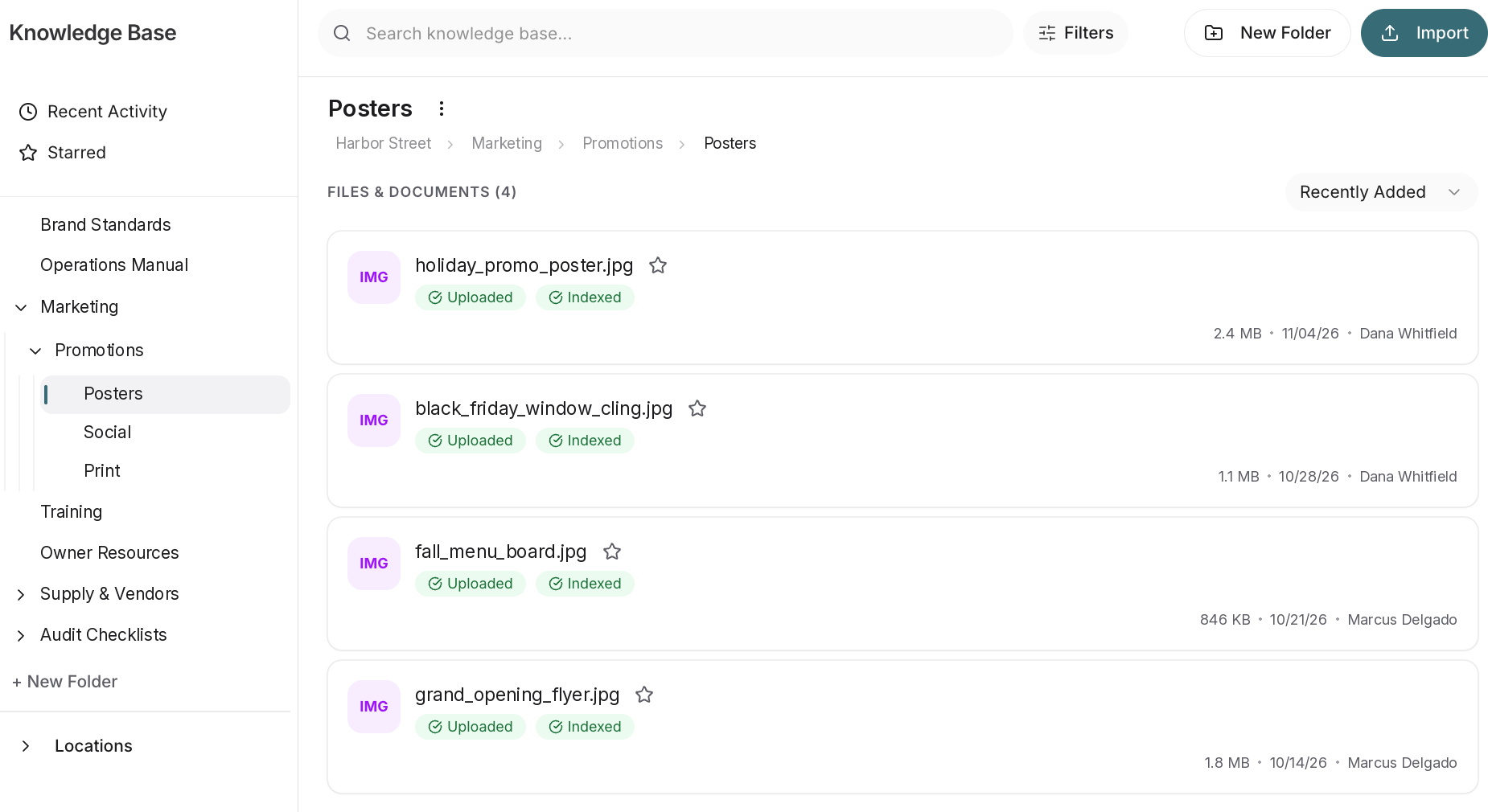
Make approved knowledge easier to find
The problem
SOPs, onboarding decks and playbooks end up spread across shared drives, email attachments and binders. Location staff can't find the current version when they need it, and HQ can't be sure who's seeing what.
How Knowledge Base solves it
Upload what you already have
PDFs, slide decks, docs and videos go into folders, with nothing to rebuild.
Access by role and location
Folders and files follow the roles and locations you set up, so each person only sees what they should.
Shared where people work
Docs can be shared in chat, next to the conversation they're about.
AI answers from your real SOPs
Documents feed the Brain, so AI answers draw on your own material.
What changes for HQ
Publish once and know each location is working from the current version, scoped to the right roles.
What changes for location teams
Pull up a checklist on site or open an onboarding deck on day one, in the same app they use for everything else.
Knowledge Base: frequently asked questions
What does Cozee Knowledge base require?
A Cozee workspace and the files you already have. Upload PDFs, slide decks, docs and videos into folders, and access follows your roles and locations.
How do teams use the Knowledge base?
Teams use the Knowledge base for SOPs, onboarding decks and playbooks. For example, techs can pull up a field safety checklist on site, and new hires can open the Bayview onboarding deck.
How does the Knowledge base work with the rest of Cozee?
Documents are permissioned by Locations & permissions, can be shared in chat, and feed the Brain so AI answers draw on your real SOPs.
Who can see which documents?
Access is role-based. Folders and files follow the roles and locations you set up, so each person only sees what they should.
Is my data used to train models?
No. Your workspace content isn't used to train shared models. See Governed AI for how data is handled.