
Locations & Permissions
Give the right people access to the right information across your network.
- Built into the same workspace as everything else
- Governed by your roles, locations and permissions
- AI that works from your team's real context
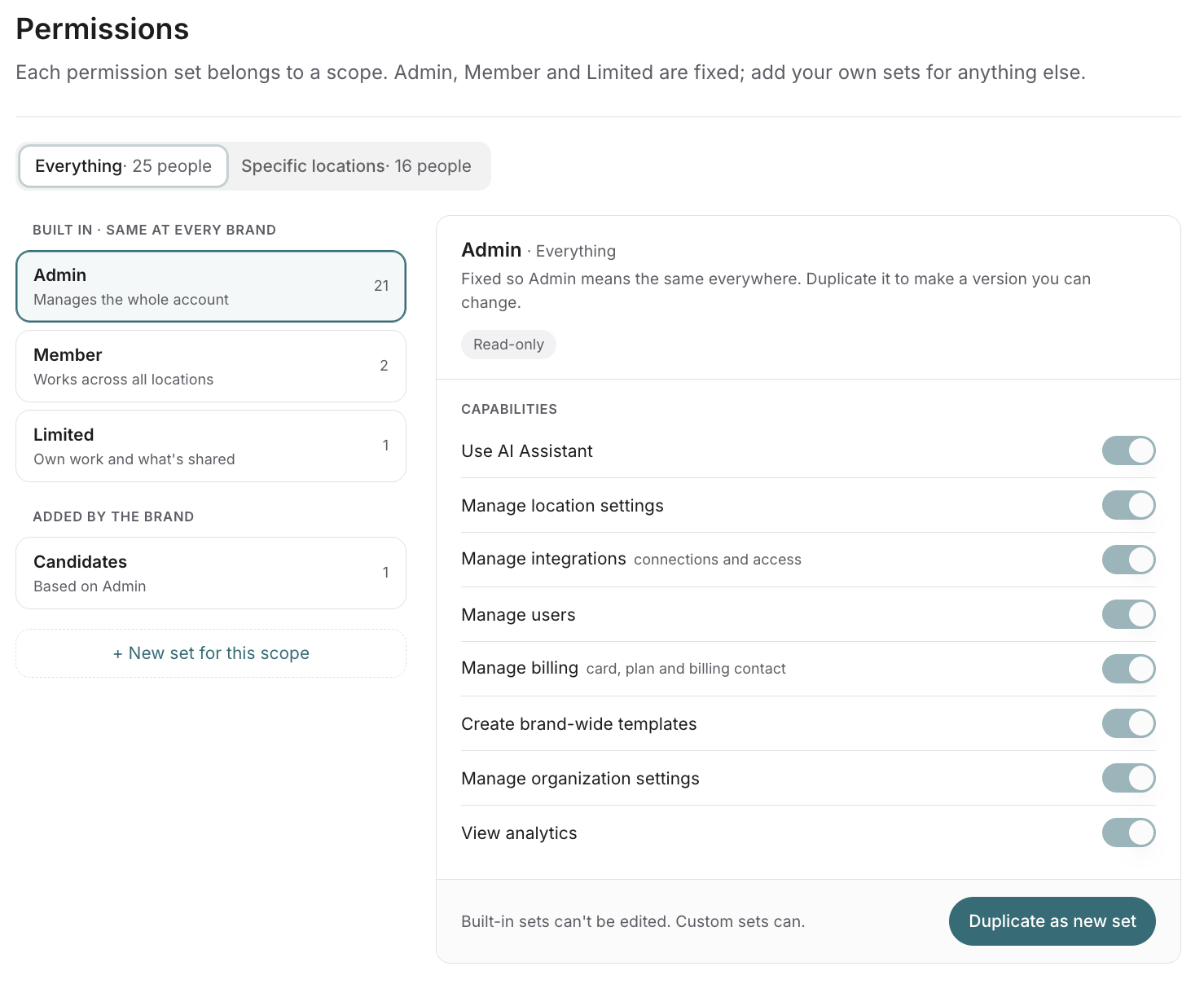
Each location gets its own space
The problem
A distributed business needs each location to have its own space while HQ sees the whole picture. With stitched-together tools, access gets set up tool by tool, and people end up seeing too much or too little.
How Locations & Permissions solves it
Locations and roles in one place
Admins add locations and assign permission sets. Admin, Member and Limited are built in, and you can duplicate one to make your own.
Every module follows the rules
Channels, meetings, documents, projects and AI answers are all scoped to the right roles and locations.
Local focus, network view
Each location sees its own activity, while admins see every location.
Assistants stay in bounds
Each assistant gets only the access its user has, by role and location.
What changes for HQ
Set access once, by role and location, and every module follows it.
What changes for location teams
They see their own location's work, without the noise from everywhere else.
Locations & Permissions: frequently asked questions
What does Cozee locations & permissions require?
An admin on your Cozee workspace. Admins add locations and assign permission sets. Admin, Member and Limited are built in, and you can add your own.
How do teams use locations & permissions?
Teams use locations & permissions to give each location its own space. For example, Bayview Home Services sees its own activity, while brand admins see every location.
How does locations & permissions work with the rest of Cozee?
Every module follows these rules. Channels, meetings, documents, projects and AI answers are all scoped to the right roles and locations.
Can I create custom roles?
Yes. Built-in sets can't be edited, but you can duplicate one as a starting point for your own.
Is my data used to train models?
No. Your workspace content isn't used to train shared models. See Governed AI for how data is handled.
Learn more about cozee
- Chat
- Meetings
- Tasks
- Projects
- Knowledge Base
- Mission Control
- Locations & Permissions
- Analytics